
Home> Credit Cards
Credit Cards
Credit card guides for starting out
Our credit card guides start with the credit card basics you need before you apply, not after a surprise charge appears. A credit card is a revolving loan. You spend, you repay, and if you pay in full by the due date during your grace period, you skip interest on purchases. That grace period is not permanent. It disappears the moment you carry any balance forward. New purchases begin accruing interest right away. Before chasing rewards or limits, open your card app and confirm you are actually in a grace period this month.
If you are new to credit entirely, strengthening your credit fundamentals helps you understand what lenders see when they review your application. On the practical side, card eligibility & applications often come down to income, existing debt, and credit history, and the add-to-wallet steps are the same regardless. On an iPhone, you open Wallet, tap the Add Card button, and follow the on-screen prompts. On Google Wallet, you tap Add to Wallet, choose Payment card, then scan or enter your details manually. When thin credit makes approval difficult, secured cards let you put down a cash deposit that typically sets your spending limit, giving you a path to build history with responsible use.
Managing your account and payments
Before you pay a single bill, make sure your online account management & setup reflects how you actually use the card. On an iPhone, open Wallet, tap your card, then the More button, then Card Details, and tap Get Account Balance & Activity to connect an eligible account. After connecting, open Wallet and tap the card to automatically see the history, which makes statement & charge clarification much easier when a charge on your screen does not match a receipt. Apple shows Card Balance just beneath the card, and tapping to the right of it lets you view monthly balance or make a payment. For Google payments, sign into Google’s Payments Center and select Statement of account, where invoices are broken out by aging status and a Billing documents section holds credit and debit memos. That view also lets you check your credit card statement balances at a glance. If you have moved or switched banks, updating billing information such as your billing address or payment info keeps your account current and prevents declined charges, and you can handle it in Wallet on iPhone or iPad. When it is time to hand records to your accountant, the invoices and memos inside the Billing documents area of Google's Payments Center give you a head start on accounting & bookkeeping without needing to rebuild every transaction from scratch.
Understanding fees, interest, and timing
Paying off the full statement amount by the due date is the simplest way to sidestep credit card interest charges. That action triggers the grace period on purchases and effectively resets your clock. If you carry even a small leftover sum past that deadline, the grace period typically disappears. New purchases then start racking up interest from the date of the charge. The exact length of credit and billing grace periods varies by issuer, and you should understand grace periods to know how long you have to pay without incurring interest. Many cards give you roughly 21 to 25 days between the statement closing date and the due date for settling up. That window does not apply to cash advances or balance transfers. Those usually begin accruing interest immediately.
A billing cycle grace period shields everyday spending. A separate concept applies elsewhere. Loan payment grace periods can offer a brief late payment leeway on installment debt. They help you avoid a hit to your credit report if funds arrive a few days after the official deadline. Insurance and tax grace periods create a late insurance payment window or a tax payment extension. You get extra time before a policy lapses or a penalty kicks in. Across all these scenarios, missing the hard cutoff triggers late fees. Credit card late fees are added when the issuer does not receive at least the minimum required remittance by the due date. An exception occurs if your remittance lands within any applicable grace period.
Before you focus on rewards, open your card’s app or online portal. Confirm you are actually in a grace period this month. APR and interest calculations change the moment you begin carrying a leftover sum. Earning rewards and points feels straightforward. The real power comes from matching your card’s category bonuses to your actual spending. A card that gives extra points on groceries, transit, and dining does heavy lifting only if those line up with where your money goes. The setup for tap-to-pay works simply. Confirm your device unlock method is active in your phone's settings. If you ever spot an unfamiliar charge, report it within the card’s app immediately and follow up with a call.
Paying down what you owe
If your goal is to get your statement amount back to zero, the real cost of using credit changes the moment you lose the interest-free window. Once an outstanding sum carries past the due date, new purchases start accruing finance charges immediately, making it urgent to stop swiping until the obligation is fully paid off. Sending only the minimum payments keeps the record in good standing but stretches a modest debt into a years-long commitment, so it helps to treat that figure as an emergency floor rather than a monthly target. When high-rate debt is already sitting on the statement, moving it through balance transfers can buy a window of lower charges, though you need to confirm whether a fee applies and whether new purchases still get a grace period on the receiving card. One trap that surprises people is turning to cash advances, which usually begin accruing finance charges right away and carry a separate, often higher, rate that makes an already expensive obligation grow faster. Before you commit to any payoff plan, scan your activity list for unknown card charges; even a small mystery entry can signal a compromised number. On iPhone for Apple Card you can tap the transaction under Latest Card Transactions, tap it again, then tap Report an Issue to flag it directly with your issuer.
Handling store, merchant, and alternative credit
Before you apply, confirm whether the offer is a deferred-interest plan or a true 0% installment loan, because carrying even a small leftover amount past a deferred-interest window triggers retroactive charges on the original purchase amount. If you plan to use that value later, check the back of the card for the balance-check website and note any region restrictions that limit its use.
- alternative payment methods - Alternative Payment Methods
- merchant card management - Merchant Card Management
- store & merchant credit - Store & Merchant Credit
- store credit & balances - Store Credit & Balances
- store & digital credit - Store & Digital Credit
- store card acceptance - Store Card Acceptance
Maximizing rewards, limits, and perks
Before you push for higher credit limits, know that your available figure is shaped by your reported income and payment patterns. Earning rewards & points feels straightforward, but the real advantage comes from matching your card’s category bonuses to your actual spending, since a card that gives elevated cash back on groceries won’t help much if most of your charges are at restaurants. When a card advertises travel credits, the fine print usually ties the value to a specific portal or purchase type, such as paying in advance directly to Booking.com. Some larger purchases call for specialized financing outside the usual deferred-interest store offer, such as a true installment plan that locks in equal remittances without a retroactive charge trap, and you’ll want to confirm whether the plan allows you to keep your standard rewards rate on the financed amount. If you swipe a card while traveling abroad, foreign transaction fees can silently add a percentage to every tap.
Keeping your card and identity safe
Before you chase rewards or financing offers, lock down your account so a single compromised charge doesn’t derail everything. Start with your card's security & fraud controls. If you carry an Apple Card on a device running iOS 15 or later, open Wallet, tap Apple Card, authenticate with Face ID, Touch ID, or passcode, scroll to Advanced Fraud Protection, and turn it on to rotate your security code regularly. That setting also lives under Settings > Wallet & Apple Pay > Apple Card > Info. On Android, Google Wallet requires a screen lock before any tap-to-pay works. Check Settings > Security & privacy > Device unlock to confirm yours is active. If you ever spot an unfamiliar charge on Google Wallet, report it within 120 days of the transaction date through your payments profile.
You will want the article on physical card handling to understand where your card number actually lives and how it stays protected. Apple stores your credential inside a dedicated Secure Element on the device. Google Wallet substitutes a unique virtual card number at the terminal, so the merchant never sees your real digits. When you add a card by tapping it to the back of an eligible iPhone, the same card can be added to your other devices simultaneously. For digital wallet & transfers, the exchange itself is the security layer. Your ID information stays encrypted on-device, and presentment history is not sent to Apple. Google layers on 2-Step Verification and Find My Phone. It also lets you remotely erase data if the phone disappears.
Adding authorized users to a physical card is handled through your issuer. The retrieved materials don't surface a management path inside Apple Wallet or Google Wallet for that relationship. If someone else regularly taps with your card, handle that setup directly with the bank. Then add the card to their device normally.
Fixing credit and closing accounts
Earning rewards and points feels straightforward, but the real power comes from matching your card's category bonuses to your actual spending. A card that gives 5% back on rotating categories might sit idle during quarters when groceries or gas aren't covered. Meanwhile a flat-rate 2% cash-back card hums along on every purchase. Pairing the two lets you capture elevated bonuses when they align with your routine. Then you fall back to the flat-rate earner for everything else. This approach turns your natural spending patterns into a quiet accumulation engine. If your credit history has taken a hit, you will want to read the article on credit repair & impact to learn how to rebuild your score while still maximizing rewards.
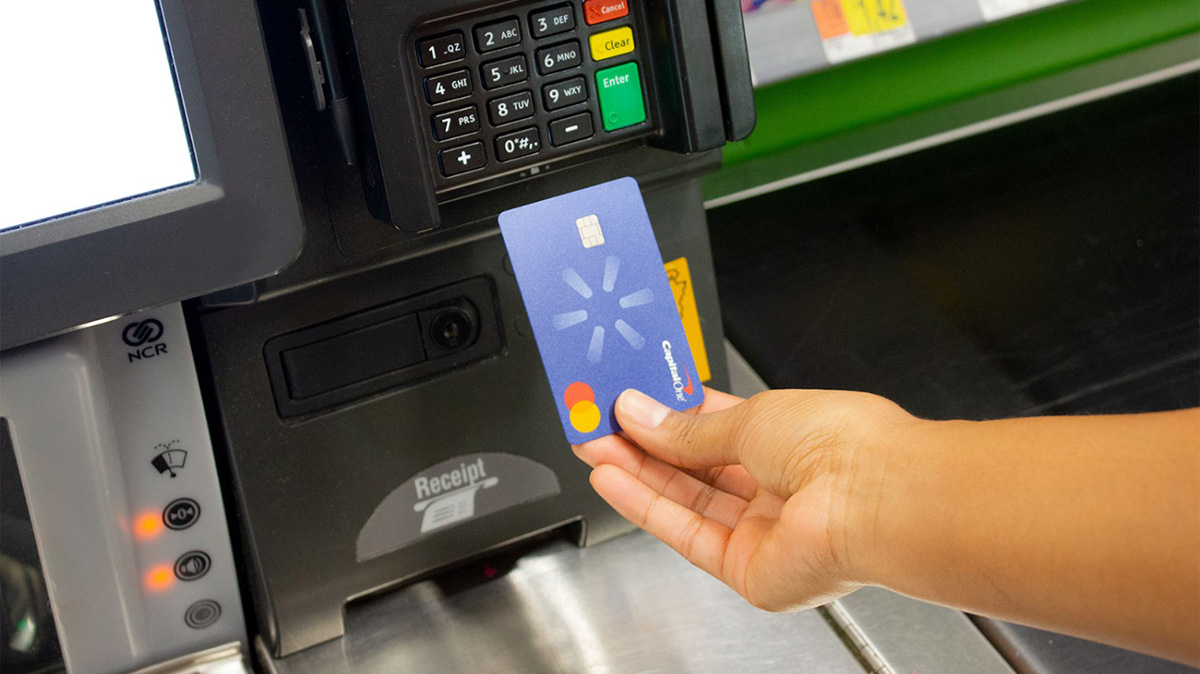
Before you tap your phone at a register, confirm that the screen-lock requirement is active. A locked device prevents a lost phone from becoming an open wallet. If you ever spot an unfamiliar charge, report it within the issuer's specified window. Federal law caps your liability for unauthorized purchases. The zero-liability policies offered by most networks extend even further. Acting fast keeps the resolution process simple and your funds protected. Understanding how fraud affects your credit profile is another reason to consult the article on credit repair & impact before a dispute arises.
If you decide the trade-off is worth it, the path to removing & canceling cards depends entirely on where the payment credential lives. On an iPhone, open the Wallet app, tap the card, tap the More button, tap Card Details, then scroll down and tap Remove Card. On iPhone running iOS 15 or earlier, Apple says you do not see Card Details. On a Mac with Touch ID, the same option sits under System Settings in Wallet & Apple Pay. For Android users, opening the Google Wallet app, swiping to the method, tapping it, and selecting Remove payment method deletes it from that specific device only. When you need to shut down the credit line itself rather than just a token, Capital One specifics matter. The issuer places the close-account function inside its online portal under the Control Your Card section. You reach it by clicking the I want to button. The issuer-specific path can vary by account access. Before you close a card, read the article on credit repair & impact to weigh how losing that credit line might affect your utilization and overall score.
By: Sunny • Credit Cards
By: Sunny • Credit Cards
By: Sunny • Credit Cards

By: Sunny • Credit Cards

By: Sunny • Credit Cards

By: Sunny • Credit Cards

By: Sunny • Credit Cards

By: Sunny • Credit Cards
By: Sunny • Credit Cards

By: Sunny • Credit Cards

By: Sunny • Credit Cards
By: Sunny • Credit Cards

By: Sunny • Credit Cards

By: Sunny • Credit Cards

By: Sunny • Credit Cards
By: Sunny • Credit Cards

By: Sunny • Credit Cards

By: Sunny • Credit Cards

By: Sunny • Credit Cards

By: Sunny • Credit Cards

By: Sunny • Credit Cards

By: Sunny • Credit Cards

By: Sunny • Credit Cards
By: Sunny • Credit Cards

By: Sunny • Credit Cards
By: Sunny • Credit Cards
By: Sunny • Credit Cards
By: Sunny • Credit Cards
By: Sunny • Credit Cards

By: Sunny • Credit Cards

By: Sunny • Credit Cards

By: Sunny • Credit Cards

By: Sunny • Credit Cards
By: Sunny • Credit Cards

By: Sunny • Credit Cards

By: Sunny • Credit Cards